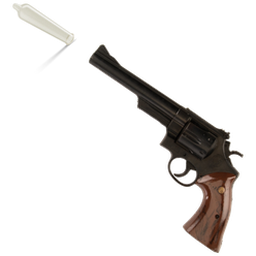
Turn your mouse into anything over the chess.com board: a knight, a dragon, an animated GIF.
Free · no account · takes 1 minute to install. Store listings are coming soon; until then, install it from the zip (steps below).
Install (1 minute)#
Install on a desktop browser. Phones and tablets cannot load extensions this way.
Chrome, Edge or Brave
- Download the zip and unzip it (Windows: right-click, Extract All; Mac: double-click). Keep the folder; the extension runs from it.
- Go to
chrome://extensions(Edge:edge://extensions) and turn on Developer mode, top right. - Click Load unpacked and pick the extracted folder.
- Click the puzzle-piece icon in the toolbar and pin Chess Board Cursor.
Firefox
- Download the zip. Don't unzip it.
- Go to
about:debugging#/runtime/this-firefox. - Click Load Temporary Add-on… and pick the zip.
Firefox removes temporary add-ons when it restarts, so repeat these steps after a restart until the signed version is on Firefox Add-ons.
Use it#
- Open a chess.com game.
- Click the toolbar icon, then Choose image. Pick any PNG, GIF, WebP or JPG. (On Firefox this opens the settings in a tab.)
- Move the sliders until it looks right. Changes save automatically and show on the board straight away.
No image handy? Grab the free pack of 25 cursors below.
Get a free pack of 25 chess cursors by email
Pieces, swords, animated GIFs — ready to use in the extension. One short email when something new ships. No spam, unsubscribe anytime.
More details#
The settings
| Setting | What it does |
|---|---|
| Size | How big the image is, measured in board squares. 1 = one square wide. |
| Rotation | Turns the image, in degrees. |
| Click point X / Y | Which part of the image counts as the tip of the pointer. Set it to the handle of a sword, the tail of an arrow, wherever you want the click to land. |
| Mirror | Flips the image left-to-right, so it can face your opponent. |
| Cursor on | Switches between your image and the normal mouse cursor. |
Questions people ask
Will my viewers see it? Yes, if you capture the browser window or the chess.com window (for example in OBS). The cursor is drawn inside the chess.com page itself, so any window or browser capture shows it. It works alongside Chess Live Tools.
Does it change my real mouse? No. Your normal cursor still works everywhere else — desktop, other sites, other tabs. The image only appears over the board on chess.com.
Is my picture uploaded anywhere? No. It stays in your browser's own extension storage on your computer. The extension never sends anything over the internet.
Privacy
Your image and all settings stay on your own computer, in the browser's extension storage. Nothing is collected and nothing is sent anywhere. Full privacy policy.
Not affiliated with chess.com. Free to use.